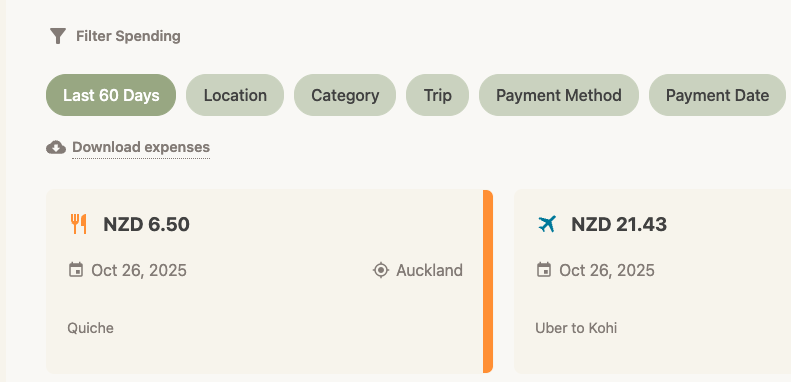
How to download your expenses
Need a spreadsheet for your records or reimbursement? You can export your data to CSV.
*Note: *
Note: This feature is available for Trav Plus subscribers.
- Go to Spending: Navigate to the Spending tab.
- Filter (Optional): If you only want to download expenses for a specific trip or date range, apply those filters first. The download will respect whatever you see on the screen.
- Tap Download: Look for the Download expenses link just below the filters.
- Save: Your browser will download a
.csvfile containing all details (Date, Amount, Currency, Location, Notes, etc.).